
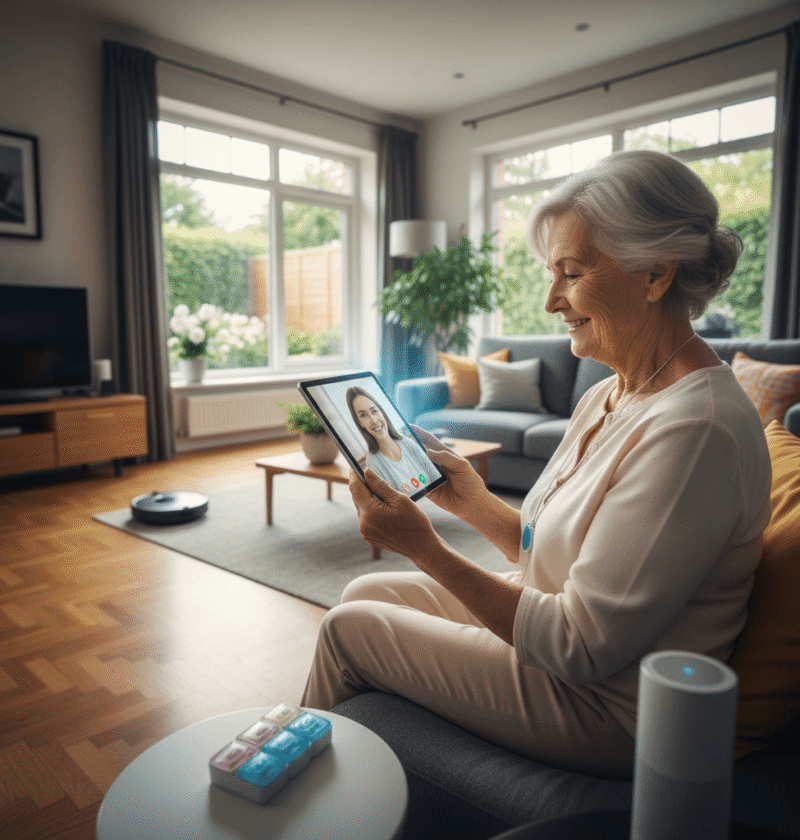
Many families reach a moment when they need to balance respect for an older relative’s wish to stay in their own home with safety and health needs. Technology has moved into that space as a practical option that can support daily living tasks and reduce risk. This article looks at how available devices and services can help older adults remain independent while preserving choice and dignity.
I will share real examples and useful tips so you can make informed choices. The goal is not to sell a single solution but to lay out options and trade offs so you and your loved one can pick tools that fit routines and values.
Why maintaining independence matters for seniors and families
Living at home helps many older adults keep routines that improve mood and motivation. Studies show that people who stay in familiar surroundings often report better mental health and higher satisfaction. Independence also limits the stress that family caregivers feel when they try to manage full time care from a distance.
Beyond feelings there are tangible benefits. Remaining in a home can reduce exposure to facility related infections and keep seniors engaged in community activities. At the same time practical issues arise such as medication management, safe mobility, and responding quickly to health episodes. Technology can address many of those issues without forcing a move from home.
Key categories of technology that support independent living
There are several classes of products to consider depending on specific needs. Each has advantages and trade offs depending on cost and the level of human interaction required.
- Monitoring and emergency systems that detect falls and summon help
- Medication reminders that prompt or lock medicine dispensers
- Home sensors that track movement, door usage, and appliance activity
- Telehealth services that connect people with clinicians by video or phone
- Mobility and daily living devices such as stair lifts, reachers, and easy to use phones
- Communication platforms that support contact with family and social groups
Rather than aim for a single all in one product consider a layered approach. For example a basic medical alert device plus a video call service and a medication organizer can cover many daily needs without overwhelming the user.
How monitoring systems can prevent emergencies
Passive monitoring tools collect data that highlights changes in daily patterns. For instance motion sensors can show when a person stops moving in areas where they usually walk. Alerts can prompt a quick check in before a small issue becomes a crisis.
Benefits of passive monitoring
Passive systems remove the need for the older person to press a button or operate an app in an emergency. They work in the background and can reduce false alarms by using patterns over time. When integrated with a family notification plan they give caregivers confidence without constant calls or intrusive check ins.
Privacy and consent considerations
It is important to talk with the person living at home about what the technology records and who sees the information. Simple steps include setting clear rules about alerts, deciding who receives them, and checking settings regularly. Avoid devices that record video in private spaces unless there is explicit permission and a clear safety reason.
Communication tools that reduce isolation and keep connections active
Social connection is a major factor in overall health. Video calls, simplified tablets, and voice operated systems can make it easier for older adults to keep in touch with friends and family. Training and practice are often as important as the device itself.
Consider these practical tips when choosing communication tools
- Pick hardware with large buttons and clear displays if vision or dexterity is limited
- Set up speed dials and labeled contacts so calling is one or two steps
- Schedule regular short calls to build familiarity and reduce anxiety about using new tools
- Use closed captions or text when hearing is a challenge
Local libraries and community centers often offer free classes that can help older adults learn the basics of video calling and email in supportive group settings.
Design that preserves dignity and makes technology usable
Ease of use determines whether a tool gets adopted and kept. Designers who test with real users learn how to simplify setups and reduce confusing options. Good design focuses on common tasks and reduces the number of decisions a person must make to perform those tasks reliably.
If you want to see design principles and research that focus on dignity and everyday usability you can learn more about approaches that center user preference and real life environments.
Key features to look for when assessing a product include clear labeling, minimal menus, consistent feedback so the user knows an action worked, and physical controls that are easy to grip. Also check how the device handles updates and whether those updates require repeated setup steps from the older adult.
Costs and ways to pay for supportive technology
Costs vary widely. Simple motion sensors and medication reminders can be inexpensive while integrated systems with professional monitoring and installation can cost more. Before making a purchase compare subscription fees renewal costs and warranty terms.
Funding options to explore include local health programs, veteran benefits, private long term care insurance policies, and nonprofit grants. Some municipalities offer small home modification or technology grants for qualifying residents. Another route is to try devices on a rental basis to confirm usefulness before buying.
Practical steps families can take this week
Start with observation and a short checklist. Notice daily routines that feel risky such as getting up at night or managing several medications. Ask the older adult what concerns them most and which tasks they want to keep doing independently.
- Pick one low cost tool and trial it for a month
- Set up clear contact rules for alerts and practice a response plan
- Arrange one technology training session with a friendly helper
- Label items like remotes and phones to reduce frustration
- Document login details and device instructions in a single folder
Small, reversible steps make it easier to adjust solutions if they do not fit. The goal is steady gains in safety and daily functioning without overwhelming the person the system is meant to serve.
Common pitfalls and how to avoid them
One common error is choosing the most feature rich product without considering the user experience. Extra features often add complexity. Another pitfall is poor caregiver coordination which leads to missed alerts or duplicated services. Set a family communication plan that assigns roles for monitoring battery levels troubleshooting and regular check ins.
Keep an eye on maintenance tasks such as charging devices and replacing batteries. Plan for technical support either from the provider or a tech familiar family member. Label support numbers and warranty info so trouble shooting does not become a new stressor.
Also be mindful of expectations. Technology reduces risk but does not remove all danger. Human contact remains key. Regular in person visits or scheduled caregiver support complement technology and keep emotional needs met.
Finally test devices in real conditions before full reliance. For example test an alert system late at night and iterate on response steps so everyone knows what to do when an alert happens.
Conclusion
Technology is not a single silver bullet that will solve all challenges of aging at home. It can, however, be a powerful element in a thoughtful plan that prioritizes safety, social connection, and personal choice. By matching tools to specific needs trying low risk trials and building a simple plan for alerts and maintenance families can create a support system that keeps people living in familiar surroundings longer.
If you are just starting gather observation notes about daily routines identify one or two risks to address and choose a simple device to test for a month. In parallel arrange a short training session and a caregiver contact plan. Those steps create momentum and let you evaluate what really helps without large commitments. Take action today by making a short checklist and scheduling a follow up in four weeks to review how the chosen technology is working. Practical steps and human oversight together make staying at home safer and more comfortable for the people you care about.


